FleetManagerHub › Features
GPS tracking with Teltonika
Put a Teltonika FMC920 in each truck and see the whole fleet on a live map, with GPS trips and an alert when a truck reaches or leaves a depot. The tracker reports straight to FleetManagerHub: no third-party tracking service in between.
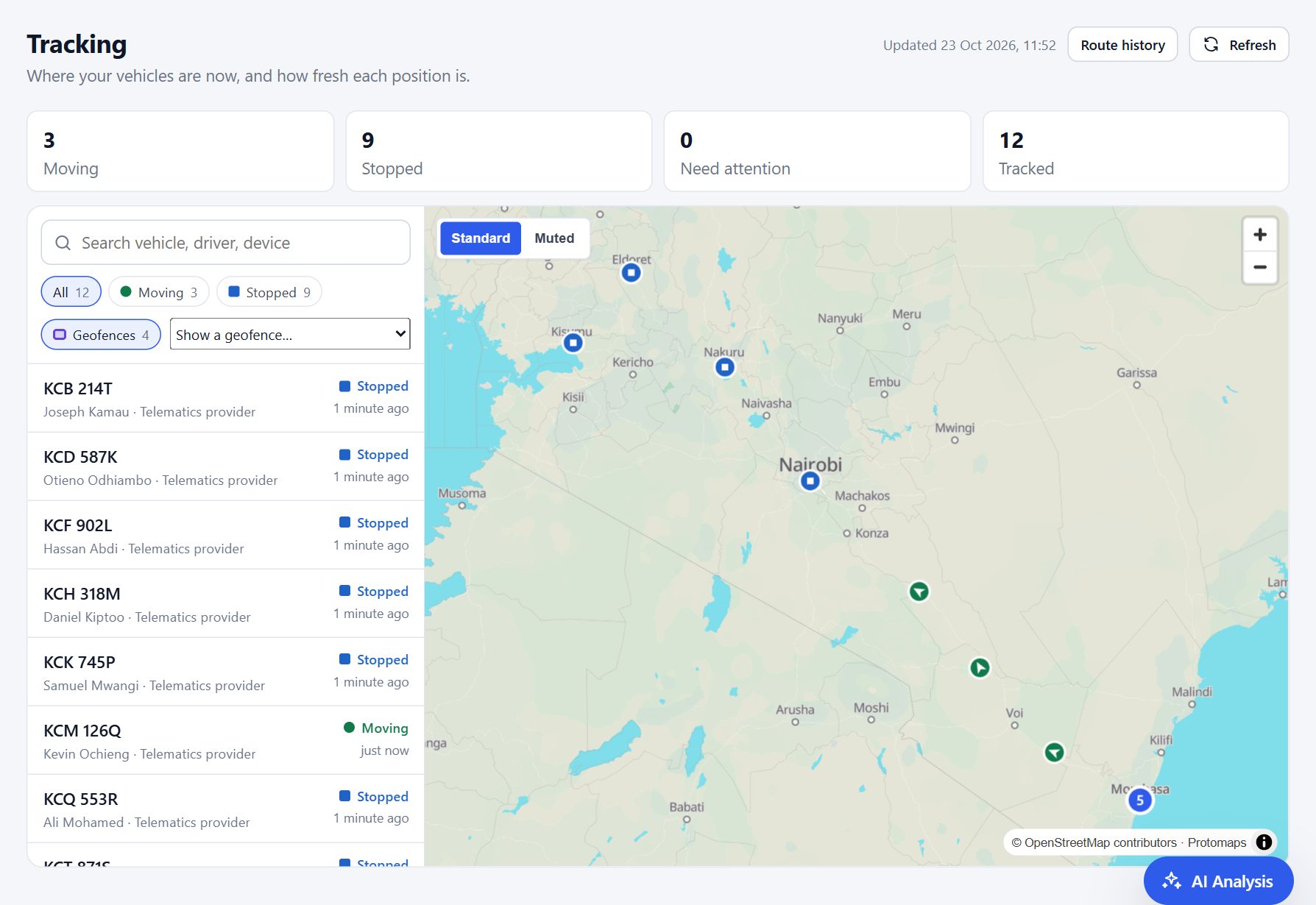
What you see
- Live map: moving, stopped and needing attention, with each truck’s last position and how fresh it is.
- GPS trips: every movement with its distance, duration and top speed.
- Geofences: draw your depots, the port and customers’ yards; get an alert when a truck enters or leaves.
- Offline alerts: a truck that stops reporting is flagged.
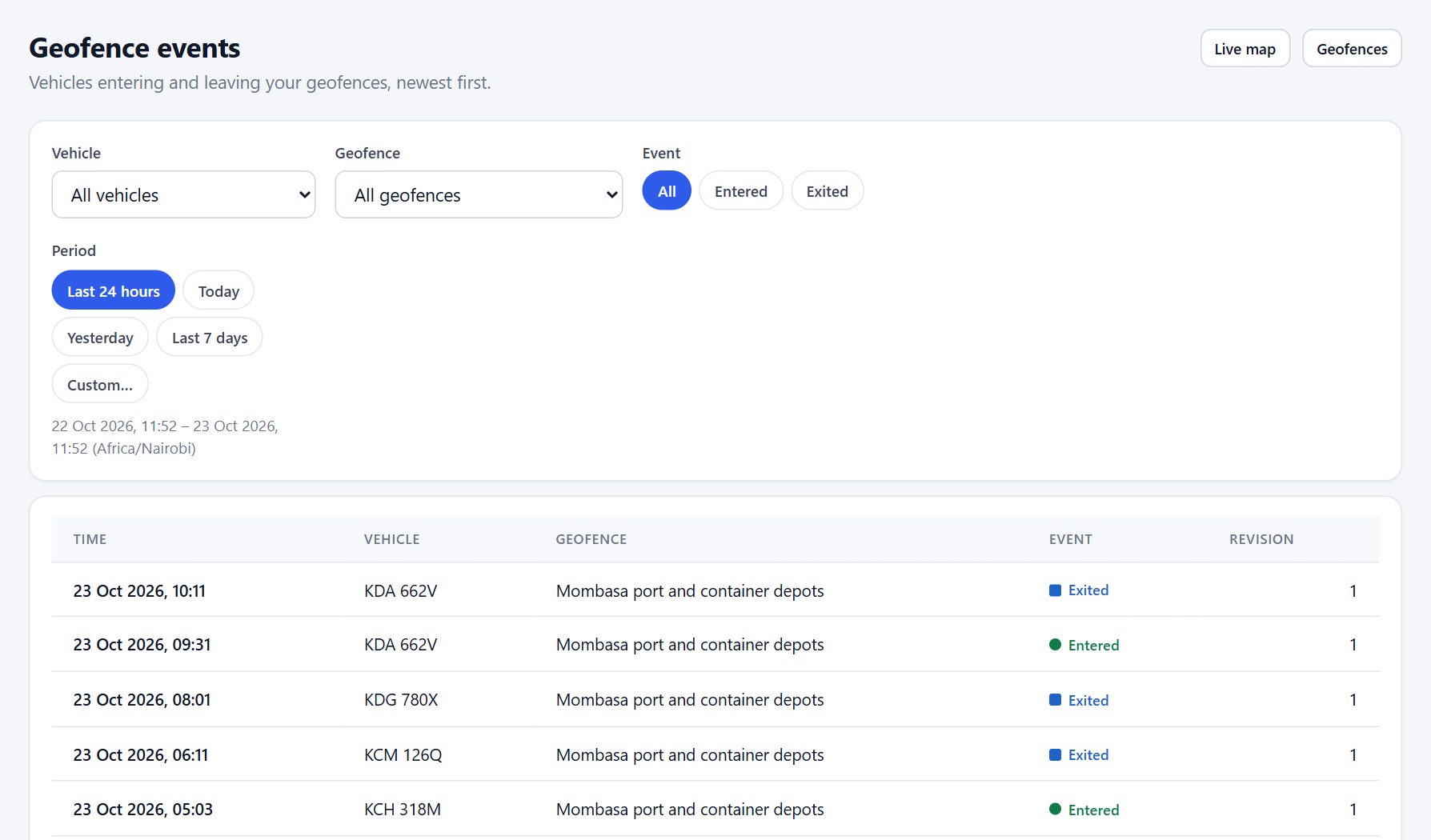
Built for real roads
- Positions the tracker stores while out of coverage arrive when it reconnects, and nothing is lost.
- Each tracker is registered by its IMEI and belongs to one company.
- GPS distance is an estimate kept beside the official odometer distance, never mixed with it.
Setting up a tracker
Add the tracker’s IMEI in FleetManagerHub and choose its truck, then point the tracker at FleetManagerHub with Teltonika’s Configurator. Within minutes the truck appears on the map.
Supported: Teltonika FMC920 and the FMB/FMC family (Codec 8 and 8 Extended). Other brands can be added later.
Related
Fleet management for small and medium fleets
Everything a transport business needs, built for owners with 3 to 50 trucks.
Stop fuel theft and fuel fraud
Find the truck burning too much, receipts that do not add up, and fill-ups claimed twice.
Maintenance and vehicle documents
Services by date or kilometres, insurance and inspections, never missed.
See your own fleet clearly
Create your account, add your trucks and drivers, and link the first driver’s WhatsApp. It takes minutes.